
Best Practices for Restaurant QR Code Design & Branding
Learn how to create custom QR codes that boost brand recognition and ensure a seamless digital menu experience for your customers.
Why Custom QR Codes Matter for Your Restaurant Brand
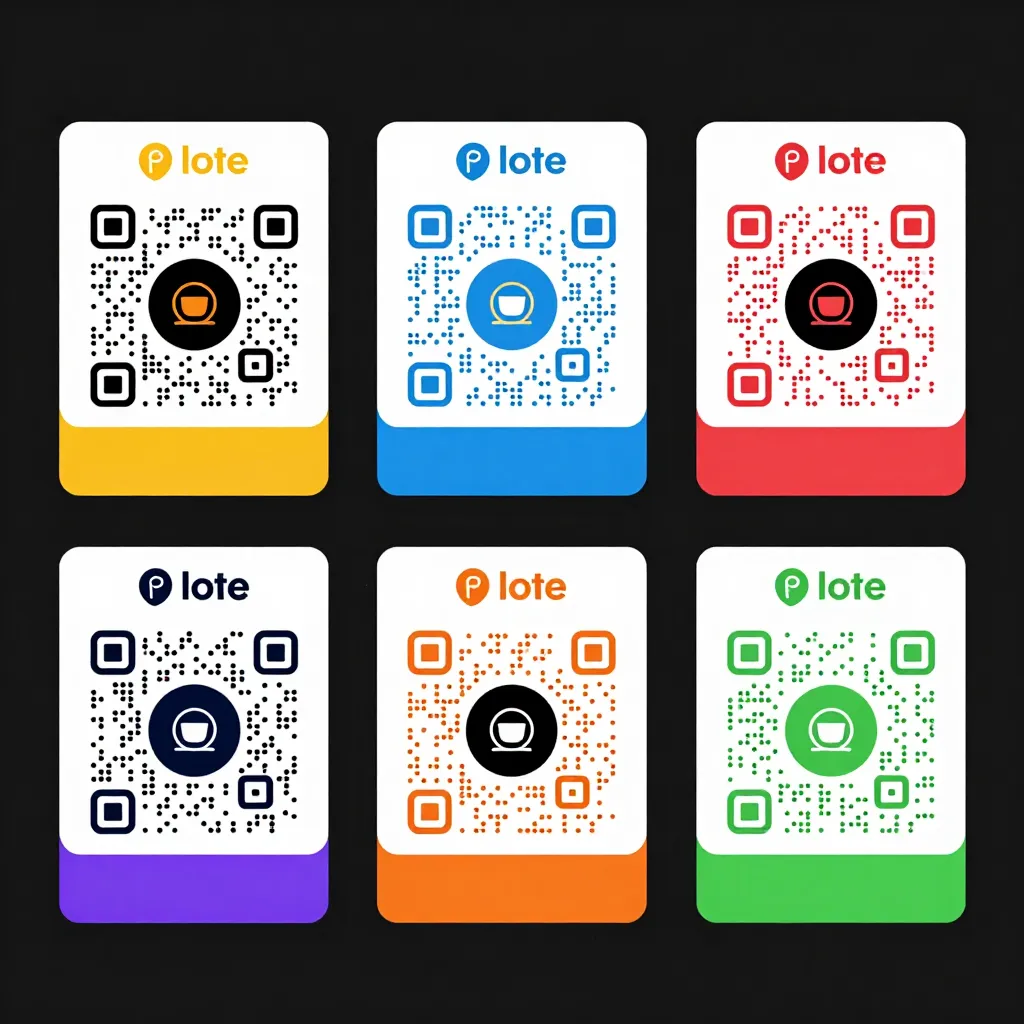
In the digital age, a QR code is often the first physical interaction a customer has with your restaurant's technology. However, the default black-and-white squares generated by free online tools lack personality and can inadvertently damage your brand's image. A custom QR code is not just a functional link; it is a piece of your visual identity that sits on tables, menus, and signage. When designed correctly, it reinforces your commitment to transparency and modern service.
Consider the psychology of a customer scanning a code. If they encounter a generic, unbranded code, they might assume the establishment is outdated or unwilling to invest in quality. Conversely, a custom QR code featuring your logo, brand colors, and high-resolution design signals professionalism and attention to detail. For restaurants aiming for universal access, a clear, branded entry point reduces friction, ensuring that guests of all ages and tech-savviness levels feel welcomed immediately.
Industry data suggests that branded QR codes can increase scan rates by up to 20% compared to generic ones. This is because customers are more likely to trust and engage with a code they recognize. Furthermore, custom codes allow you to bypass the confusion of generic shorteners, directing users straight to your optimized digital menu without intermediary pages that might slow down load times or introduce tracking scripts that feel invasive. By investing in custom design, you are making a statement about your values: you care about the customer experience from the very first touchpoint.
Design Elements That Enhance Brand Recognition
Creating a custom QR code involves more than just adding a logo in the center. It requires a strategic approach to color, contrast, and layout to ensure the code remains scannable while looking beautiful. The most common mistake restaurant owners make is choosing colors that clash or reduce the contrast ratio too low, causing the camera to fail to read the code.
When integrating your brand colors, remember that the data within the QR code must remain black (or a very dark shade) to function correctly. You can achieve a branded look by using a custom foreground color that is dark enough to maintain the necessary contrast against a white background, or by using a white code with a dark background if your table settings are light. A practical tip is to use your primary brand color for the modules (the dots) only if it is a deep, saturated shade. For instance, if your brand is a vibrant orange, you might need to use a deep burnt orange for the code and reserve the bright orange for a border or surrounding graphic element.
Another critical element is the logo placement. Your logo should be centered, but it should not obscure the quiet zones-the white space surrounding the code that cameras need to detect the boundaries. If your logo is too large or complex, it can interfere with the scanning process. A good rule of thumb is to keep the logo within 30% of the total code area. Additionally, ensure the logo is in a vector format (like SVG or EPS) rather than a pixelated JPEG, so it stays crisp on high-resolution screens and printed menus.
Visual hierarchy also plays a role. Consider adding a subtle frame or border that incorporates your brand's typography. This not only protects the code from accidental smudges but also guides the eye. For example, a restaurant with a minimalist Scandinavian aesthetic might use a thin, elegant line border, while a bold bistro might use a thick, textured frame. These design choices should align with the overall vibe of your interior and your digital menu design. The goal is to make the QR code feel like an extension of your brand, not an afterthought.
Ensuring Universal Access and Scannability
One of upQR's core missions is to provide universal access, ensuring everyone knows what they are eating regardless of language or dietary needs. This principle extends to the QR code itself. A poorly designed code can exclude customers with older smartphones, those with poor camera sensors, or individuals with visual impairments who rely on high-contrast interfaces.
To ensure maximum scannability, always test your custom QR code under various lighting conditions. Restaurants often have dim lighting to create ambiance, which can make scanning difficult if the code lacks sufficient contrast. Use a QR code generator that allows you to adjust the error correction level. High error correction (Level H) allows up to 30% of the code to be damaged or obscured (by a logo or dirt) while still being readable. This is essential for custom designs that include logos.
Another aspect of universal access is the landing page experience. When a user scans your custom code, they should be directed to a mobile-optimized digital menu that loads instantly. Slow loading times are a major cause of cart abandonment and negative reviews. According to Google, if a page takes longer than 3 seconds to load, 40% of mobile users will leave. A custom QR code should lead to a fast, responsive site that accommodates different languages and dietary filters immediately. This transparency-showing exactly what ingredients and allergens are present without delay-builds trust and ensures that no customer is left waiting or confused.
Furthermore, consider the physical placement of the code. It should be placed on a clean, flat surface, away from direct glare or shadows. Avoid placing it directly under a candle or near a window where sunlight might wash out the contrast. Educating your staff to place codes correctly is part of maintaining universal access. If a code is hard to scan, the staff should be empowered to assist the customer verbally, bridging the gap between technology and human service. This hybrid approach ensures that even if the digital interface has a hiccup, the customer experience remains positive and inclusive.
Integrating Branding Without Compromising Function
Branding your QR code is an opportunity to tell a story, but it must not compromise the function. A common pitfall is over-designing the code with intricate patterns, gradients, or multiple colors that confuse the camera. The QR code standard relies on a specific grid of black and white modules. While you can add colors, the data-carrying modules must maintain a specific darkness level to be read by standard cameras.
A smart strategy is to use a 'hybrid' approach. Use a standard black-and-white code for the core data, but surround it with a richly branded graphic that includes your logo, a call-to-action button, or a short welcome message. This graphic area can be as colorful and creative as you like, while the central code remains robust. This method allows for high brand visibility without risking scan failures.
For restaurants using upQR, this integration is seamless. The platform allows you to embed your logo directly into the code generation tool, ensuring that the design is optimized for scanning performance. You can also customize the URL that the code points to, ensuring that every scan lands on your specific, up-to-date menu. This eliminates the risk of broken links or outdated information, a common issue with static codes that point to generic landing pages.
Transparency is key here. Avoid using QR codes that redirect users through multiple domains or tracking services that are not disclosed. Customers are increasingly wary of privacy invasions. Your QR code should lead directly to your menu, perhaps with a clear footer explaining that by using the menu, you agree to your terms of service. This honesty aligns with the upQR value of providing accurate information and no hidden fees. It reassures the customer that they are in a safe, transparent environment.
Measuring Impact and Optimizing Your Strategy
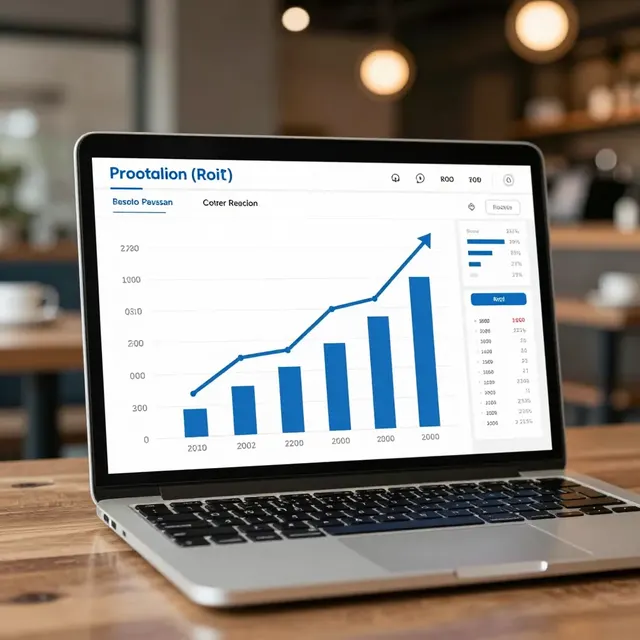
Once your custom QR code is live, it is vital to monitor its performance. Most modern QR code generators, including those integrated with upQR, provide analytics that show how many times the code has been scanned, the geographic location of the scanners, and the device types used (iOS, Android, etc.). This data is invaluable for understanding customer behavior.
For instance, if you notice that scans are high during lunch but low during dinner, you might need to adjust your table setup or lighting. If scans are failing frequently on certain devices, you may need to revisit your error correction settings or logo size. These insights allow you to iterate and improve your design over time. A/B testing different designs can also be effective. Try one table with a logo-heavy code and another with a minimal design to see if there is a difference in scan success rates or customer feedback.
Don't forget to gather qualitative feedback. Ask your staff to note if customers mention the QR code design during service. Do they find it easy to scan? Do they appreciate the branding? Customer reviews often mention the ease of ordering, so paying attention to comments about the QR code experience can highlight areas for improvement. If customers mention that the code was hard to read, treat it as a critical issue to resolve immediately.
Regularly updating your digital menu content is also part of the optimization process. A custom QR code is static, but the destination URL can be dynamic. Ensure that your upQR menu is updated in real-time for seasonal items, daily specials, or price changes. This dynamic capability ensures that the custom branding remains relevant and that customers always see the most accurate information. This commitment to accuracy and up-to-date content reinforces your brand's reliability and transparency.
Conclusion
Your restaurant's QR code is a powerful branding tool that should reflect your commitment to quality, sustainability, and customer care. By following best practices for design, ensuring universal access, and integrating branding without sacrificing function, you create a seamless digital experience that enhances your reputation. Custom QR codes allow you to stand out in a crowded market, turning a simple utility into a memorable part of the dining journey.
At upQR, we believe in a system where everyone knows what they are eating, regardless of language or dietary needs. Our platform empowers you to create these custom, branded experiences effortlessly, eliminating paper waste and supporting sustainability while providing honest, accurate information to your guests. Whether you are a bustling cafe or a fine dining establishment, upQR provides the tools to build a digital presence that is as unique as your brand. Embrace the power of custom QR codes today and transform how your customers interact with your menu.
Related Posts

Ready to create your digital menu?
Create your QR menu in minutes and reach your customers in any language.