
Combine NFC & QR Codes for Seamless Restaurant Ordering
Learn how to merge NFC tags with QR codes to boost customer convenience and reduce friction. Discover practical strategies to modernize your digital menu system today.
Why Combine NFC and QR Codes in Your Digital Menu Strategy
Restaurants today face a unique challenge: balancing the desire for a contactless, modern dining experience with the need for absolute ease of access for every guest. While QR codes have become the standard for digital menus, they require a specific action from the customer-finding the code, scanning it with a camera, and waiting for the page to load. NFC (Near Field Communication) tags offer a different kind of convenience. By combining these two technologies, you create a hybrid system that caters to different user habits without compromising on your core values of transparency and accessibility.
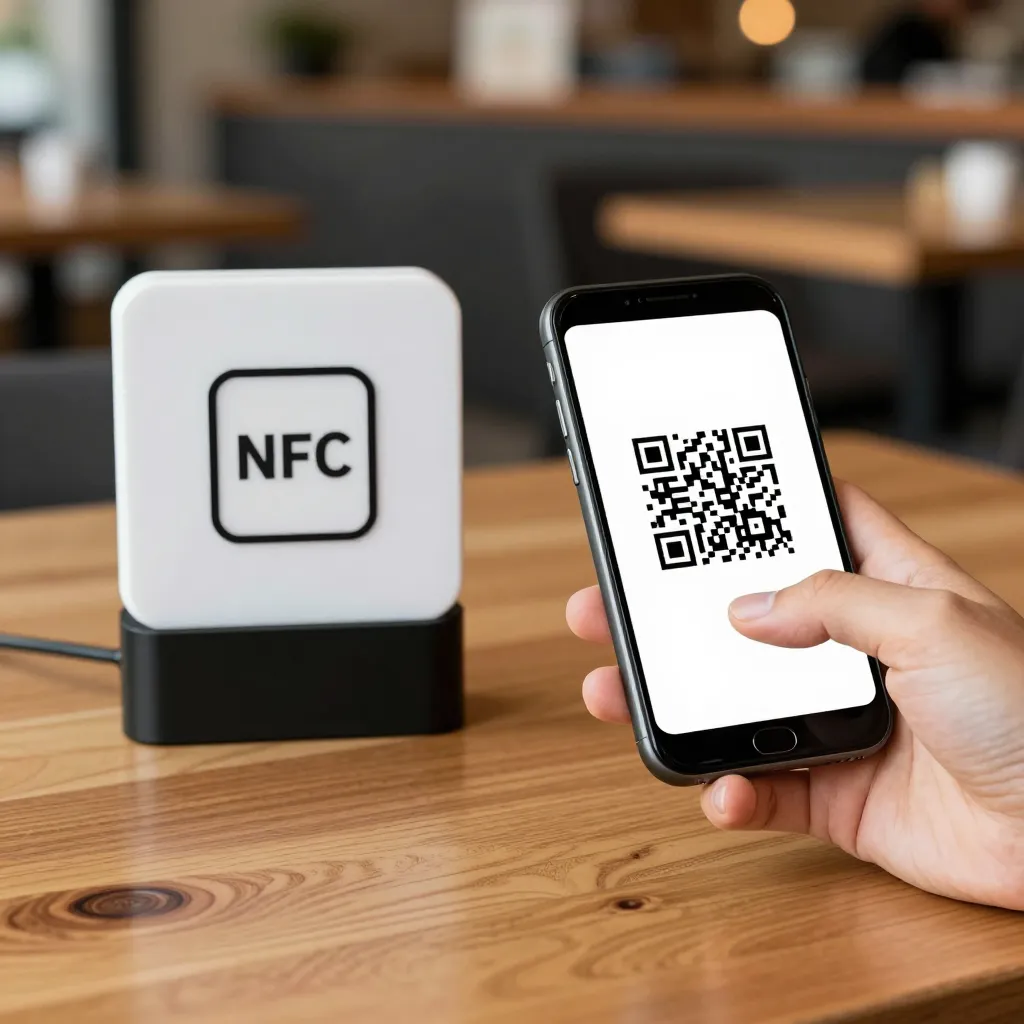
The primary advantage of this dual approach is friction reduction. For tech-savvy guests or those in a hurry, simply tapping their phone to a table placemat triggers the menu instantly. For others who prefer the visual confirmation of a QR code, the code remains available. This inclusivity aligns perfectly with the upQR mission of universal access. According to recent industry reports, over 60% of consumers prefer contactless ordering, yet many still struggle with the scanning process due to poor lighting or camera issues. An NFC tag bypasses these technical hurdles entirely, ensuring that every customer, regardless of their device capabilities or technical confidence, can access your menu seamlessly.
Furthermore, this combination enhances the perception of your establishment as an innovator who values customer experience. When a guest taps their phone and the menu opens immediately, it signals efficiency and respect for their time. This immediate gratification can reduce the time between seating and ordering, potentially increasing table turnover rates without sacrificing the quality of the dining experience. It is a practical solution that respects the environment by reducing paper waste while respecting the customer's need for speed and simplicity.
Implementing a Hybrid Ordering System: A Step-by-Step Guide
Integrating NFC technology alongside your existing QR menu system is simpler than you might think, and it can be done without replacing your current infrastructure. The goal is to layer NFC capabilities on top of your QR infrastructure, leveraging the upQR platform to manage both digital experiences from a single dashboard.
The first step involves placing NFC tags at strategic locations. These tags are small, durable stickers that can be adhered to table surfaces, door handles, or even napkin dispensers. When a customer places their smartphone near the tag (within 4 cm), their phone's NFC reader automatically connects to the URL stored on the tag. This URL directs the user straight to your upQR digital menu.
Next, ensure your QR codes remain visible and functional. Place them on menus, table tents, or posters. The key is to educate your staff on how to explain the options to guests. A simple script like, "You can scan this code, or just tap your phone to this spot for instant access," empowers your team to guide guests effectively. This educational moment is crucial for managing expectations and ensuring a smooth experience.
From a technical standpoint, the upQR platform allows you to manage both entry points. You can customize the landing page for NFC taps to be distinct if desired, perhaps showing a branded welcome message before loading the full menu. However, consistency is key to maintaining your value of honesty. The information presented via NFC should be identical to the QR code scan, ensuring no hidden fees or misleading descriptions appear regardless of how the user arrived at the menu.
Consider the placement logic carefully. NFC tags work best on flat, non-metallic surfaces to avoid interference, though modern tags are quite robust. Avoid placing them directly on top of QR codes, as the physical tag might obscure the code. Instead, position them slightly offset or on the reverse side of a table placemat. This ensures that even if a guest tries to scan the code, the NFC tag doesn't physically block the camera's view, and vice versa.
Enhancing Customer Experience and Reducing Friction
The true value of combining NFC and QR codes lies in the psychological impact on the customer journey. When a guest sits down, they often feel a moment of hesitation: "How do I order?" This hesitation can cause anxiety, especially for those who are not familiar with scanning codes. An NFC tag eliminates this anxiety. The moment the phone touches the table, the action is complete. There is no need to fumble with a flashlight or adjust camera settings.
Real-world examples illustrate the power of this dual approach. Consider a busy café during a morning rush. A customer walks in, sits at a table, and immediately taps their phone. The menu loads instantly, allowing them to order their usual coffee before the barista has even finished the previous round. In a traditional QR-only scenario, this customer might spend an extra 30 seconds scanning, which, multiplied across hundreds of daily customers, represents significant lost time and potential revenue.
Transparency is another critical factor. NFC tags often trigger a pre-configured URL that can be optimized for speed. You can ensure that the link goes directly to the specific section of the menu the customer is interested in, or simply the home page. By using upQR, you can guarantee that the content loaded via NFC is just as transparent as the content loaded via QR. Ingredients, allergens, and prices are displayed clearly in both instances. This consistency builds trust. Customers appreciate knowing that no matter how they access the menu, the information they receive is accurate and honest.
Accessibility is significantly improved as well. Some smartphones have NFC disabled by default in certain settings, or older models may lack NFC entirely. In these cases, the QR code serves as a reliable fallback. This redundancy ensures that you never turn away a customer because of a technology limitation. It is a commitment to universal access, ensuring that your digital menu is a tool for inclusion rather than exclusion.
Operational Benefits for Restaurant Staff
While the focus is often on the customer, the operational benefits for restaurant staff are substantial. Training new employees becomes easier when they have a clear, dual-path solution to offer guests. Instead of memorizing complex troubleshooting steps for QR scanners, staff can simply direct guests to tap their phones or scan the code. This reduces the cognitive load on the team and allows them to focus on hospitality, food preparation, and ensuring guests feel welcome.
Inventory and menu management also become more efficient with a unified system. Using a platform like upQR, any changes made to the menu-such as updating prices, removing out-of-stock items, or adding seasonal specials-are reflected instantly on both the NFC link and the QR code. There is no need to print new menus or reprogram NFC tags individually. This real-time synchronization is vital for maintaining the value of honesty and accuracy. If a dish is out of stock, it is removed from the digital menu immediately, preventing customer disappointment and the need for complex explanations later.
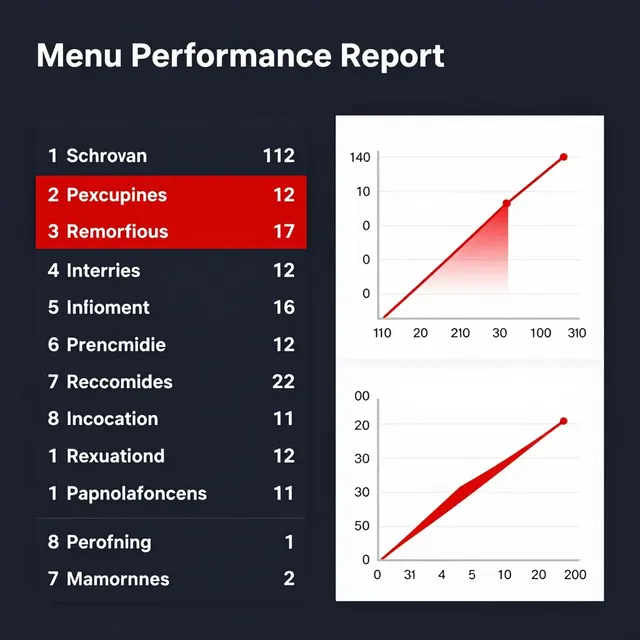
Data collection is another area where the hybrid system shines. Both NFC taps and QR scans can be tracked to understand customer behavior. You can see which tables use NFC more frequently and which rely on QR codes. This data can inform future decisions about table layout, signage placement, and even the types of promotional offers you run. For instance, if you notice that NFC usage spikes during lunch hours, you might consider offering a special "tap-to-order" discount to encourage faster turnover during peak times.
Staff morale can also improve. When employees have a tool that genuinely makes their jobs easier, they are more likely to feel confident and competent. A seamless ordering system reduces the number of interruptions caused by confused guests, allowing the kitchen and service teams to maintain a smoother rhythm throughout the service period.
Maintaining Trust Through Transparency and Accuracy
As you implement this technology, it is essential to uphold the core values that define upQR: transparency, honesty, and environmental consciousness. Technology should not be a barrier to understanding; it should be a bridge to clarity. When a customer taps their phone or scans a code, they expect to see exactly what they are ordering, with no surprises.
To maintain this trust, ensure that the NFC tag points to a URL that is fully compliant with your menu policies. Avoid using third-party links that might redirect to generic food delivery apps or sites with hidden fees. The upQR platform allows you to host your own digital menu, ensuring that every click leads to your honest, accurate representation of your food and drinks. This control is paramount.
Environmental responsibility is also woven into this strategy. By utilizing NFC tags and QR codes, you eliminate the need for printing physical menus. NFC tags are reusable and can be placed on existing furniture, while QR codes require zero material. This combination represents a significant reduction in paper waste. Over a year, a single restaurant can save hundreds of reams of paper by switching to a fully digital, hybrid system. This aligns with the growing consumer demand for sustainable business practices.
Finally, consider the visual presentation. Your NFC tags and QR codes should look professional and inviting. Use high-quality stickers that match your brand's aesthetic. A poorly placed or dirty NFC tag can look unprofessional and deter customers. Regular maintenance of these digital touchpoints is part of the hospitality experience. Clean surfaces and clear instructions show that you care about the details and respect your guests' time.
Conclusion: The Future of Frictionless Dining
Integrating NFC tags alongside QR codes is not just a technological upgrade; it is a strategic evolution of how restaurants connect with their guests. By offering two paths to the same honest, transparent, and accessible digital menu, you ensure that no customer is left behind. Whether they prefer the instant tap of NFC or the familiar scan of a QR code, every guest receives the same high-quality experience.
For restaurant owners and cafe managers looking to modernize their operations while staying true to their values of sustainability and integrity, upQR provides the perfect foundation. Our platform is designed to make this transition seamless, offering the tools to manage both entry points from a single dashboard. Embrace this hybrid approach to reduce friction, enhance customer satisfaction, and set your establishment apart in an increasingly competitive market. The future of dining is seamless, transparent, and accessible-and with upQR, you are ready to lead the way.
Related Posts
Ready to create your digital menu?
Create your QR menu in minutes and reach your customers in any language.