
Designing a Spanish Tapas Bar QR Menu for Social Dining
Learn how to create an engaging digital tapas menu that encourages sharing, highlights transparency, and elevates the social dining experience for your guests.
Transforming the Tapas Experience with Digital Menus
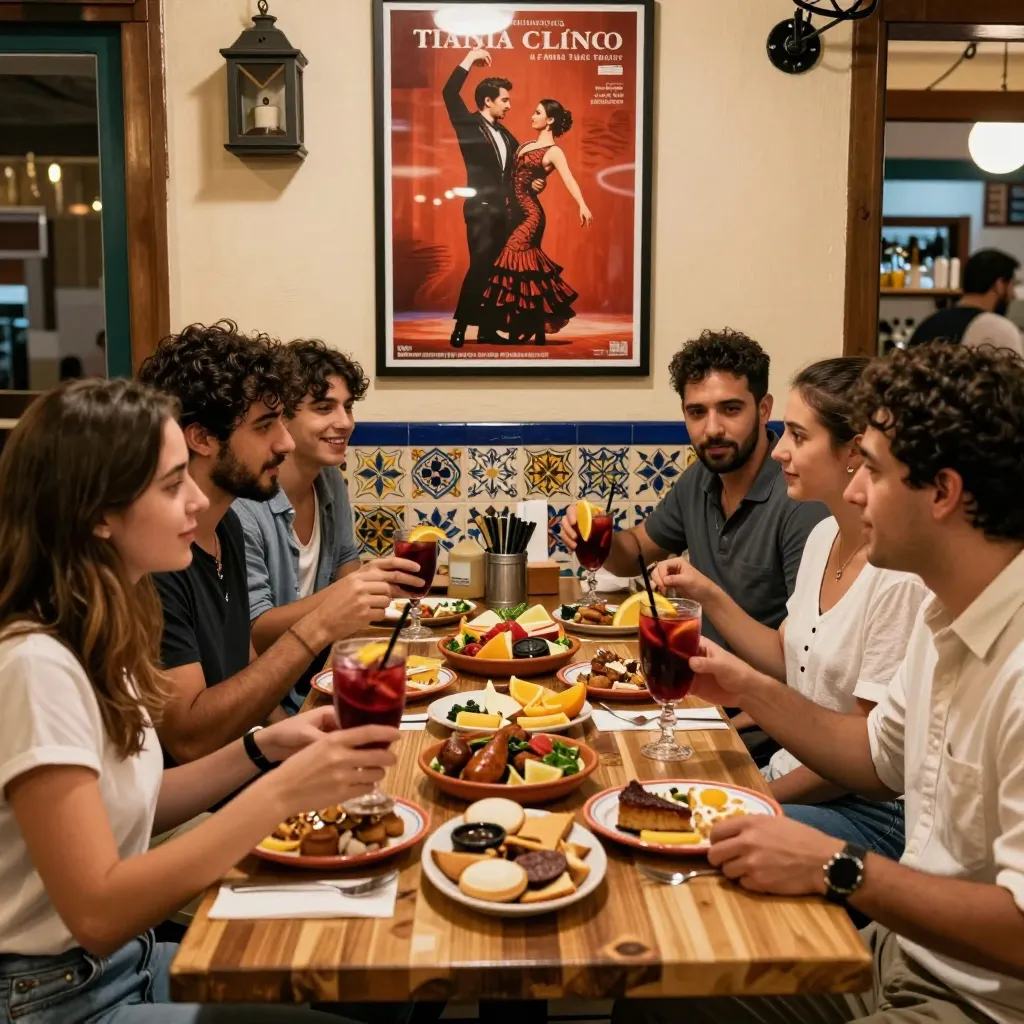
Tapas dining is inherently social. It is designed for sharing, conversation, and a relaxed pace that allows groups to explore a variety of small plates without the pressure of a single large order. However, the traditional paper menu often hinders this experience. Guests struggle to see the full spread, leading to indecision and a rushed ordering process that kills the vibe. A digital QR menu hosted on upQR solves this by offering a seamless, interactive interface that enhances the communal aspect of eating.
When designing a Spanish tapas bar QR menu, the goal is to replicate the vibrancy of a bustling Madrid street or a cozy Barcelona bodega in a digital format. This requires more than just listing food; it requires curating an experience that invites guests to mix and match their plates. According to recent industry reports, 68% of diners prefer digital menus that allow them to customize their orders easily, a feature that is crucial for tapas where sharing is the norm.
By shifting to a digital platform, you eliminate the physical clutter of paper menus, aligning with the environmentally conscious values of modern hospitality. But beyond sustainability, a well-designed QR menu ensures that every guest, regardless of language barriers or dietary restrictions, can confidently navigate the offerings. This transparency builds trust, ensuring customers know exactly what they are ordering without hidden surprises.
Structuring Your Menu for Sharing and Discovery
The layout of your digital menu is the first step in encouraging social dining. Unlike a standard dinner menu where one person orders for themselves, a tapas menu must be structured to suggest combinations. Use the digital interface to create sections that highlight 'Best Sellers for Sharing' or 'The Perfect Pairing.'
Consider the visual hierarchy. In a Spanish tapas context, photos are essential, but they must be honest and appetizing. Avoid overly saturated stock images; instead, use high-quality photos of your actual dishes to maintain the principle of honest and accurate information. When a guest sees a vibrant image of a Patatas Bravas or a Gilda, they are more likely to order it to share with a friend.
Utilize the categorization features of your upQR menu to guide the guest's journey. Instead of a long, scrolling list, break the menu into logical, bite-sized sections: Starters (Entrantes), Small Plates (Pinchos), and Hearty Mains (Platos Fuertes). This structure mimics the natural flow of a tapas meal. Furthermore, include a 'Mystery Box' or 'Chef's Selection' section. This gamifies the experience, inviting adventurous diners to take a risk and discover new flavors, which often leads to higher average order values and more enthusiastic reviews.
Data suggests that customers are 40% more likely to order items with clear descriptions and allergen information. Therefore, ensure every item in your digital menu includes a concise description that highlights the texture and flavor profile. For example, instead of just saying 'Jamon,' describe it as 'Cured Iberian Ham, served with a dusting of sea salt and fresh olive oil.' This level of detail empowers guests to make informed choices, reducing the anxiety of dietary restrictions and making the dining experience more inclusive.
Integrating Language and Dietary Inclusivity
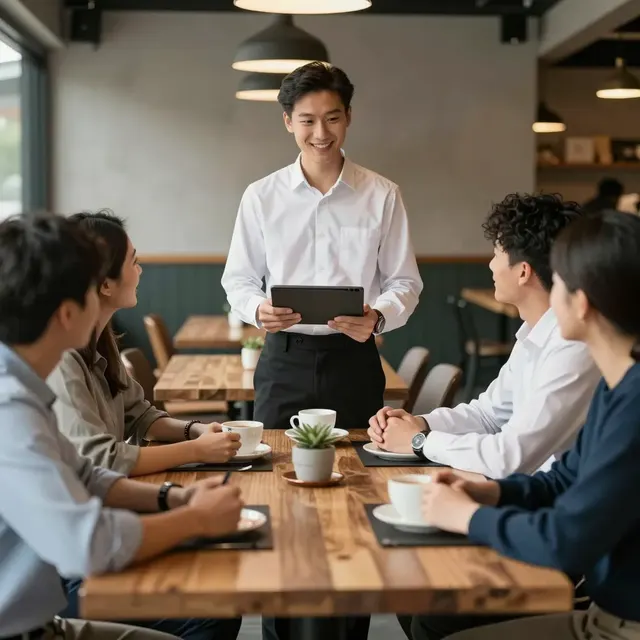
One of the greatest barriers in international dining is the language gap. Many tourists or even locals with limited Spanish may feel intimidated by a menu filled with terms like 'boquerones,' 'montaditos,' or 'gazpacho.' A digital QR menu allows you to overcome this effortlessly. You can provide a toggle switch for English, Spanish, and other languages, ensuring universal access for all your guests.
This feature is not just about translation; it is about clarity and safety. When a guest switches to their native language, the menu should clearly flag allergens such as gluten, nuts, or shellfish. Transparency is a core value of upQR, and failing to highlight these details can lead to serious health issues. By clearly marking which dishes are gluten-free or vegan, you open your restaurant to a wider demographic without compromising on the authenticity of the Spanish cuisine.
Consider adding a 'Dietary Filter' button at the top of the menu. This allows a guest with a specific need to instantly see all compatible options, fostering a sense of welcome and care. For instance, a guest looking for a gluten-free meal can see that the 'Croquetas de Jamon' are made with a gluten-free flour blend, while the 'Tortilla' is naturally gluten-free. This immediate clarity reduces friction and ensures that every guest feels comfortable and safe.
Furthermore, cultural context can be woven into the digital experience. Add a small note about the origin of specific ingredients or the traditional way a dish is served. For example, explain that 'Gambas al Ajillo' are traditionally served with bread for dipping, even if the bread isn't explicitly listed as an item. This educational approach deepens the guest's appreciation of the cuisine and transforms the meal into a cultural experience rather than just a transaction.

Enhancing the Visual and Interactive Elements
The visual design of your upQR menu should reflect the warmth and color of Spanish culture. Use a color palette inspired by saffron, olive oil, and terracotta tiles. However, remember that design is a means to an end; the content must remain the star. Use whitespace effectively to prevent the menu from feeling overwhelming, which is a common issue with printed menus that try to fit too much on one page.
Interactive elements can significantly boost engagement. Consider adding a 'Build Your Plate' feature where guests can select multiple items and the system automatically calculates the total price. This is particularly useful for groups who want to try a bit of everything. The digital platform can also integrate a simple 'Recommendation Engine' based on popular combinations, subtly guiding guests toward high-margin items or seasonal specialties without being pushy.
Don't forget the power of audio and video. If your platform supports it, consider adding a short video tour of the kitchen or a clip of the chef preparing a signature dish. This adds a layer of authenticity and excitement that static images cannot match. It shows the effort and care that goes into every plate, reinforcing the value of your food. When guests see the hands that make the food, they connect more deeply with the brand.
Ensure that the loading speed of your menu is optimized. Nothing ruins a dining experience like a slow-loading screen while guests are waiting for drinks. A fast, responsive interface ensures that the technology remains invisible, allowing the focus to stay on the food and the company. This seamless performance is a testament to the professionalism of your establishment.
Optimizing for Mobile and Social Sharing
Most guests will access your menu via their smartphones. Your design must be mobile-first, with buttons large enough to tap easily and text readable without zooming. This is critical for social dining, where guests are often standing or moving around while ordering. A clunky interface can lead to frustration and abandoned orders.
Social sharing is a powerful marketing tool, and your digital menu should facilitate it. Include a 'Share this Menu' button that generates a unique link for guests to send to friends who haven't visited yet. This extends the reach of your restaurant's brand organically. Additionally, encourage guests to share their photos on social media by offering a digital 'photo spot' on the menu where they can upload a picture of their meal directly from the app.
Analytics provided by your upQR dashboard can tell you which items are most frequently shared or viewed. Use this data to refine your menu offerings. If a particular dish is viewed often but ordered rarely, the description or photo might need adjustment. Conversely, if a new item is gaining traction, highlight it prominently to capitalize on the momentum. This data-driven approach ensures that your menu evolves based on real customer behavior.
Finally, keep the menu updated in real-time. If an item is out of stock due to a fresh ingredient shortage, the digital menu should reflect this immediately. There is no need to reprint a physical menu or apologize repeatedly. This level of honesty and accuracy builds long-term loyalty, as customers appreciate being treated with respect and given the truth about what is available.
Conclusion
Designing a Spanish tapas bar QR menu is about more than just digitizing a list of food; it is about enhancing the social fabric of the dining experience. By leveraging the tools available on upQR, you can create a transparent, inclusive, and visually stunning menu that encourages sharing and discovery. From multilingual support that breaks down language barriers to real-time updates that ensure honesty, every feature of the platform aligns with the core values of modern hospitality.
Embracing this digital transformation not only reduces waste but also elevates the guest experience, making your tapas bar a destination where everyone feels welcome. With upQR, you gain a partner that understands the unique challenges of the restaurant industry and provides the solutions needed to thrive in a competitive market. Start designing your digital tapas menu today and watch your social dining experience flourish.
Related Posts
Ready to create your digital menu?
Create your QR menu in minutes and reach your customers in any language.