
How to Upsell Drinks Through Your QR Menu
Learn proven strategies to increase beverage sales using your digital QR menu. Boost average check size with smart placement, bundling, and visual design.
Why Beverage Upselling is Critical for Restaurant Profitability
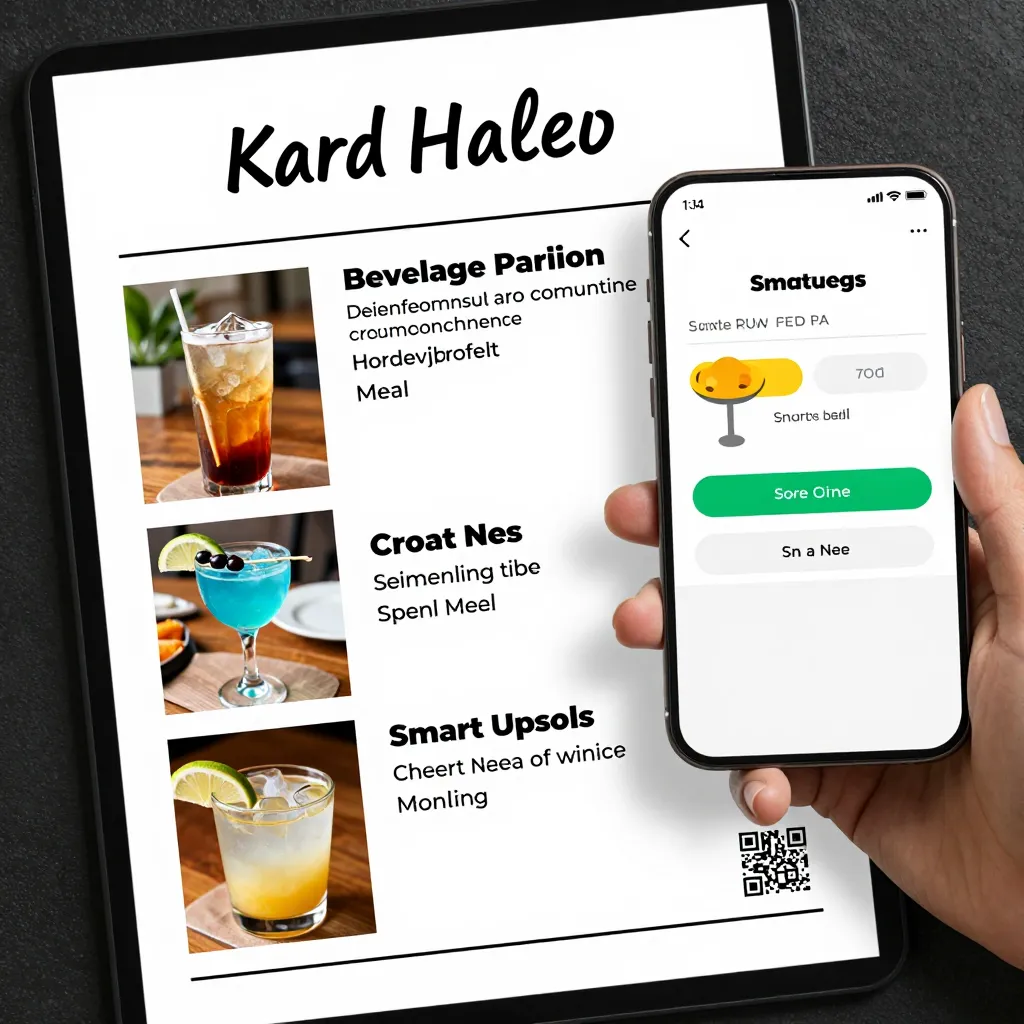
While food often grabs the spotlight, beverages are frequently the unsung heroes of a restaurant's bottom line. In the modern dining landscape, where food costs and labor expenses are squeezing margins, the ability to effectively upsell drinks has never been more important. Industry data suggests that beverage margins typically range between 70% and 85%, significantly higher than food margins which often hover around 30%. By leveraging a digital QR menu system like upQR, restaurants can transform their beverage section from a simple list of items into a strategic revenue driver.
The challenge for many owners is that customers often order a standard water or soda with their meal, missing out on the opportunity to sell premium coffees, craft cocktails, or specialty mocktails. A static paper menu offers no way to highlight these opportunities or change the layout based on inventory. A dynamic QR menu, however, allows you to curate a specific "Beverage Upgrade" section or use smart placement techniques to guide the customer's eye toward higher-margin items without feeling pushy.
Furthermore, the post-pandemic dining environment has shifted customer expectations. Diners are now accustomed to browsing menus at their own pace, making the digital interface the primary point of decision-making. This is your moment to influence behavior. By optimizing your QR menu, you aren't just listing products; you are telling a story that encourages customers to treat themselves to something better, aligning with our core value of transparency where they see exactly what they are upgrading to.
Strategic Menu Engineering and Visual Hierarchy
How a customer reads your menu dictates what they buy. This is known as menu engineering, and it applies perfectly to the beverage section of a QR code system. When a customer scans a code and opens your upQR menu, their eye naturally gravitates toward certain areas. Understanding these visual patterns allows you to place your most profitable drinks in the "hot zones" of the screen.
First, consider the "diagonal rule." Customers tend to scan menus diagonally from the top left to the bottom right. Place your signature cocktail or a premium cold brew in the top left corner. Conversely, the bottom right corner is often ignored; save this for items you want to clear out or low-margin basics like tap water. Second, leverage the "golden triangle." The area near the top right and bottom left receives the most attention. This is an ideal spot for your high-margin specialty lattes or seasonal fruit infusions.
Visual hierarchy also plays a massive role. In a paper menu, you might use bold fonts for specials, but in a QR menu, you have even more control. Use upQR's design tools to make your best-selling or highest-margin drinks stand out with a subtle border or a different background color. However, be careful not to overwhelm the design; the goal is to guide, not to shout. A clean, clutter-free interface ensures that the customer feels confident in their choice, reflecting our commitment to honesty and accuracy. When a drink looks premium and is clearly described, the customer is more likely to trust the quality and make the upgrade.
The Power of Descriptive Copy and Sensory Language
One of the biggest mistakes restaurants make with their digital menus is using bland descriptions like "House Coffee" or "Lemonade." These generic terms do nothing to stimulate the appetite or the thirst. To upsell effectively, you must use sensory language that transports the customer to the experience of drinking the beverage. Instead of "Iced Tea," describe it as "Zesty Lemon and Mint Iced Tea, brewed with pure spring water and a hint of organic honey." Suddenly, the customer can almost taste the freshness.
Descriptions should also highlight the benefits of the ingredients. If you are selling a specialty cold brew, mention the beans used, the brewing time, or the notes of chocolate and citrus. For a cocktail, describe the texture or the garnish. This level of detail not only justifies a higher price point but also appeals to the growing demand for transparency. Customers today want to know exactly what they are consuming, including allergens and sourcing. upQR allows you to input detailed ingredient lists and allergen warnings directly into each item, building trust with your patrons. When a customer sees that you are honest about ingredients, they feel safer trying a new, higher-priced item.
Consider the psychological impact of scarcity and seasonality. If you have a limited-time offer like a "Winter Spiced Apple Cider," use the description to create urgency. Mention that it is available only until the end of the month or made with fresh local apples. This creates a sense of FOMO (fear of missing out) that can be very effective in driving sales. Remember, the goal is to make the customer feel that they are making a smart, indulgent choice, not just spending more money.
Implementing Bundling and Smart Pricing Strategies
Bundling is one of the most effective ways to increase the average check size without raising the perceived price of individual items. By creating curated beverage pairings, you make it easy for customers to say yes to an upsell. For example, you can create a "Coffee Lover's Duo" that includes a specialty latte and a fresh croissant, or a "Summer Refresh Bundle" featuring a mocktail and a chilled lemonade.
When designing these bundles in your upQR menu, keep the presentation elegant. Instead of just listing two items, create a new item called "The Perfect Pairing" and include a short description of why they go well together. This adds a layer of curation that customers appreciate. It positions the restaurant as an expert in flavor combinations, encouraging customers to trust your recommendations.
Pricing strategy within the bundle is also crucial. The bundle should be priced slightly less than the sum of the individual items, or at least feel like a better value. This psychological trick makes the customer feel they are getting a deal, which lowers the barrier to entry for trying a more expensive drink. Additionally, consider offering a "Top Up" option. Instead of just listing a large coffee, offer a standard size and a "Large Upgrade" for a small additional fee. This allows customers to customize their experience while still contributing to your higher-margin goals.
Another tactic is to introduce tiered pricing based on quality. For coffee, you might list "Espresso" at a base price, "Caramel Macchiato" at a mid-tier price, and a "Signature Seasonal Latte" at a premium price. Ensure that the premium items are described with enough allure to make them the obvious choice for those looking to treat themselves. Transparency is key here; clearly label the price so there are no surprises at checkout. Customers are more likely to spend on premium items if they know exactly what they are paying for.
Personalization and Data-Driven Adjustments
While many digital menu systems are static, upQR offers capabilities that allow for a level of personalization that can significantly boost upselling. If your system tracks customer preferences or order history, you can dynamically adjust the menu or send targeted notifications. For instance, if a customer frequently orders black coffee, you could highlight a new "Cold Brew Reserve" that complements their taste profile. While full personalization depends on your specific tech stack integration, the principle remains: knowing your customer helps you suggest the right drink at the right time.
Even without advanced AI, you can use data to adjust your menu. Monitor which beverages are frequently skipped and which are the most popular. If a high-margin drink has a low conversion rate, review its description and placement. Is the photo appealing? Is the description clear? Use A/B testing concepts within your menu design to see if changing the order of items or the wording of a description improves sales. For example, placing a high-margin non-alcoholic drink right after a popular alcoholic cocktail might encourage a non-drinker to try the premium mocktail.
It is also important to keep the menu fresh. Rotate seasonal specials regularly to keep the menu exciting. When a new drink is added, promote it heavily in the description and perhaps offer a limited-time discount to encourage initial trials. Once the drink gains traction, you can raise the price or remove the discount, knowing that customers now recognize it as a staple. This cycle of introduction, promotion, and normalization is essential for maintaining interest and driving consistent revenue.
Leveraging High-Quality Imagery and User Experience
Nothing sells a beverage quite like a mouth-watering photo. In the digital realm, the image is the first thing a customer sees. A grainy, poorly lit photo of a drink can turn off a customer before they even read the description. Invest in professional food photography for your beverage section. Show the condensation on a glass, the foam on a latte, or the vibrant colors of a fruit-infused water. These details convey freshness and quality instantly.
When using upQR, ensure that your images are optimized for loading speed. High-resolution images are great, but if they take too long to load on a mobile device, customers will bounce. Strike a balance between quality and speed. Additionally, consider the aspect ratio of your images. Square or slightly vertical images often work best for mobile screens, filling the space without looking stretched or cropped.
Finally, ensure the user experience is seamless. A cluttered menu with too many options can lead to decision paralysis. If you have too many drinks, consider categorizing them clearly: "Coffees," "Teas," "Cocktails," and "Mocktails." Use icons or tags to indicate dietary preferences like "Vegan," "Gluten-Free," or "Dairy-Free." This helps customers find what they want quickly and reduces the friction that might prevent them from ordering a premium item. A smooth, intuitive navigation encourages customers to browse longer, increasing the likelihood of discovering a new favorite drink.
Conclusion
Upselling drinks is not about being pushy; it is about providing a better experience and offering value that customers are eager to embrace. By utilizing the strategic placement, descriptive language, and bundling options available in a digital QR menu system, you can significantly increase your beverage sales and overall profitability. upQR provides the tools you need to create a transparent, visually appealing, and efficient menu that respects your customers' time and enhances their dining experience. Start implementing these strategies today to see the immediate impact on your bottom line, and remember that every sip is an opportunity to delight your guests while growing your business.
Related Posts
Ready to create your digital menu?
Create your QR menu in minutes and reach your customers in any language.