
Mastering QR Ordering for High-Volume Restaurants
Transform your busy dining room with a seamless QR ordering system. Learn setup tips, staff training, and technology choices to boost speed and satisfaction.
Why Digital Ordering is Critical for High-Volume Venues
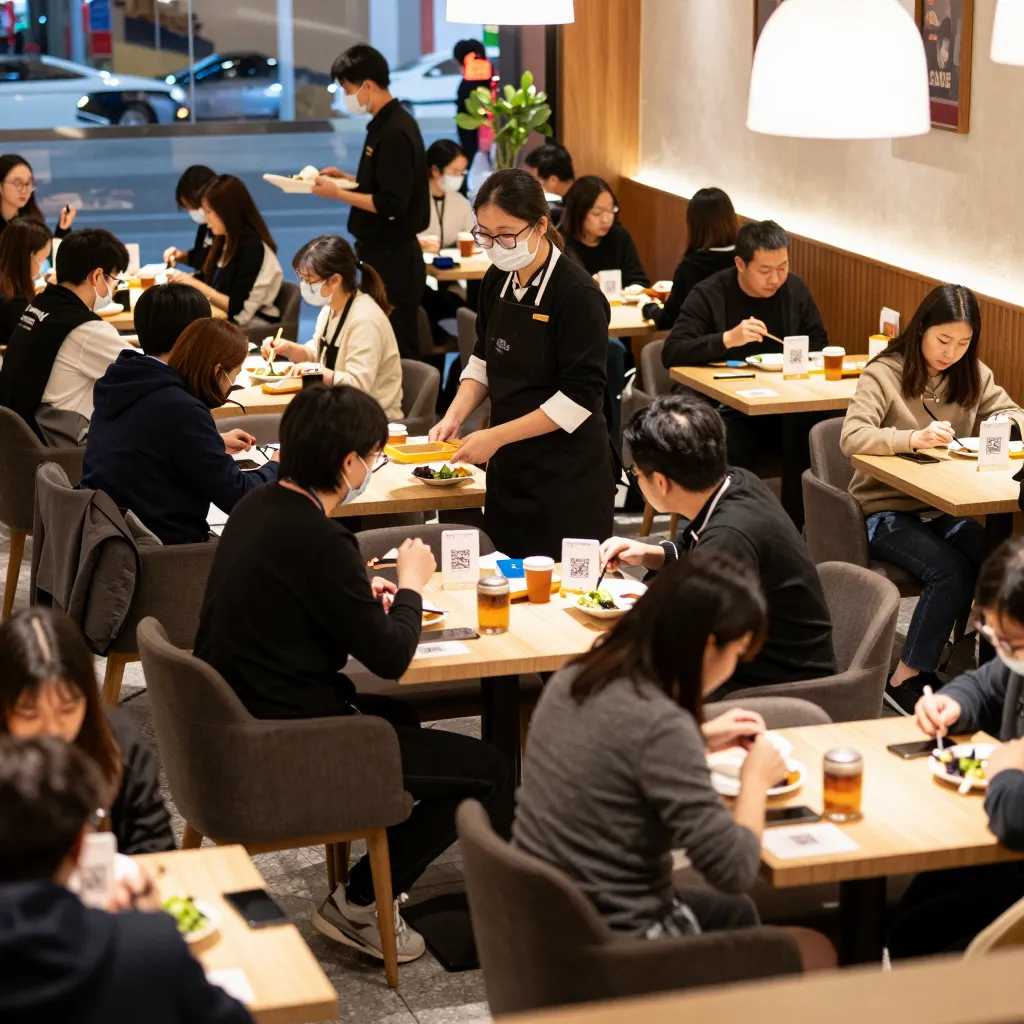
For restaurants managing large groups or high foot traffic, the traditional paper menu is a bottleneck. Studies indicate that customers spend an average of 7 to 10 minutes just browsing a physical menu. In a busy service period, every minute saved at the table translates directly to increased table turnover and higher revenue. Digital QR ordering eliminates this friction by presenting a visually appealing, easy-to-navigate menu instantly.
However, simply placing a QR code on a table is not enough for a busy environment. The system must be robust enough to handle multiple simultaneous connections without crashing. It must load quickly on various devices, from older smartphones to modern tablets. Furthermore, the interface must be intuitive enough for a guest to place an order without waiting for a server to approach the table. This immediacy is crucial during peak hours when lines are long and patience is low.
The benefits extend beyond speed. Digital menus allow for real-time inventory management, ensuring that guests do not order items that are currently out of stock. This prevents the awkwardness of telling a customer their steak is "sold out" after they have already placed an order. For a busy restaurant, maintaining accuracy is essential for reputation management. A seamless digital experience builds trust and encourages guests to return, while a glitchy system can lead to negative reviews that impact future bookings.
Step-by-Step Guide to Setting Up Your QR System
Setting up a digital ordering system requires careful planning to ensure it integrates smoothly into your existing workflow. The process begins with selecting the right technology partner. You need a solution that offers a responsive design, meaning the menu looks perfect on both mobile phones and larger tablets. Look for platforms that allow for easy customization of your branding, ensuring that your digital menu matches the ambiance of your physical space.
Next, you must digitize your menu content. This involves more than just uploading a PDF. You need to create a structured menu with clear categories, high-quality images, and detailed descriptions. For a busy restaurant, clarity is key. Guests should be able to find their favorite items in under 15 seconds. Include nutritional information, allergen warnings, and pricing prominently. Transparency in these areas reduces hesitation and speeds up the ordering process. Ensure that your prices are up-to-date, as a discrepancy between the digital and physical menu can lead to disputes and loss of credibility.
Once your content is ready, the technical setup involves generating unique QR codes for each table. It is best practice to use static codes that link to a specific URL, rather than dynamic codes that redirect. Static codes are faster and do not require internet connectivity to display the initial link, which is helpful in areas with poor signal. Assign specific codes to specific tables to prevent guests from accidentally ordering from the wrong table's menu. This level of organization is vital in large venues where tables are close together.
Finally, integrate the ordering system with your Point of Sale (POS). This is the most critical technical step. When a guest places an order on their phone, it should appear instantly on the server's handheld device and the kitchen display system. This eliminates the need for servers to manually input orders, reducing human error and speeding up the kitchen's preparation time. If your current POS does not support third-party integrations, consider switching to a system that does, as this compatibility is non-negotiable for a high-volume operation.
Optimizing the Guest Experience During Peak Hours
The success of your QR ordering system depends heavily on the guest experience. In a busy restaurant, guests are often anxious to get their food quickly. A well-designed digital menu should guide them through the ordering process with minimal clicks. Use clear call-to-action buttons like "Order Now" or "View Menu" that are easily tappable with a thumb. Avoid complex navigation structures that require swiping left and right excessively.
Consider adding features that enhance the dining experience without adding friction. For instance, allow guests to customize their orders easily, such as adding extra cheese or requesting no onions. This flexibility is highly valued by modern diners. Additionally, implement a feature that allows guests to add items to their cart and pay at the end of the meal. This "pay-at-table" functionality is particularly useful for busy cafes where guests may want to grab a coffee and go without waiting for a check. It also frees up your staff to focus on food preparation and customer service rather than handling cash or card transactions.
Another important aspect is accessibility. Ensure that your digital menu complies with accessibility standards, allowing guests with visual impairments to use screen readers to navigate the menu. A percentage of your customers may rely on assistive technologies, and providing a seamless experience for them is a mark of true hospitality. Furthermore, offer the option to switch between languages if you host international guests. This universal access ensures that every guest feels welcome and understood, regardless of their native tongue.
Speed is also a factor that cannot be ignored. Optimize your images to load quickly without sacrificing quality. Large, uncompressed images can slow down the loading time significantly, causing guests to abandon the order. Compress images to a file size that balances quality and speed. Test your menu on different network conditions to ensure it remains responsive even if the restaurant's Wi-Fi is congested with many devices connecting simultaneously.
Training Staff and Managing Operational Challenges
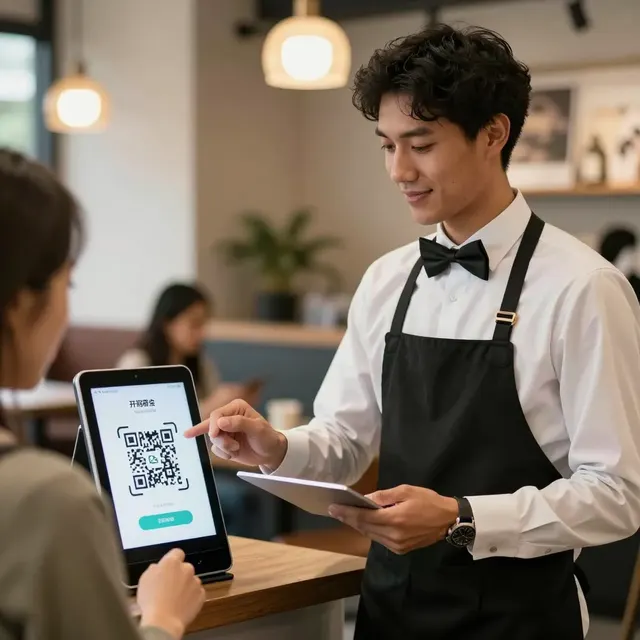
Technology is only as good as the people using it. Even the best digital ordering system will fail if your staff is not trained to support it. Your servers and hosts need to understand how the system works and how to assist guests who encounter issues. For example, if a guest's phone cannot connect to the QR code, staff should be ready to provide a direct link or assist manually without causing a scene.
Train your kitchen staff to recognize digital orders instantly. The workflow in the kitchen must adapt to the speed at which digital orders come in. If orders are coming in rapidly, ensure that the kitchen display system is organized logically, grouping orders by course or time. This prevents the kitchen from becoming overwhelmed and ensures that food is prepared efficiently. Cross-training staff is also beneficial; if one server is busy, another can easily step in to manage the digital ordering interface.
Monitor your system regularly to identify and resolve technical issues. Set up alerts for when the system goes offline or when there are errors in order transmission. Having a backup plan is essential. For instance, if the digital system fails, have a protocol in place to switch to manual ordering on paper pads temporarily until the issue is resolved. This minimizes disruption and keeps the service running smoothly.
Encourage your team to gather feedback from guests regarding the digital ordering experience. Are guests finding the menu easy to use? Are they confused by certain features? Use this feedback to make improvements. Continuous optimization based on real-world usage will help you refine the system and enhance the overall guest satisfaction.
Leveraging Data and Sustainability for Long-Term Growth
One of the most significant advantages of a digital ordering system is access to valuable data. Unlike paper menus, digital platforms provide insights into customer behavior. You can track which items are most popular, which are least ordered, and at what times of day orders are placed. This data can inform your menu engineering, helping you to adjust pricing, introduce new items, or discontinue underperforming dishes. For a busy restaurant, making data-driven decisions is essential for profitability.
Furthermore, digital menus contribute to sustainability goals. By eliminating the need for printed menus, you reduce paper waste, which is an environmental benefit that resonates with eco-conscious consumers. Many modern diners prefer to support businesses that demonstrate a commitment to sustainability. Highlighting your eco-friendly practices on the digital menu can enhance your brand image and attract a wider customer base.
Transparency is another pillar of sustainability and trust. Use your digital menu to clearly list ingredients and sourcing information. Guests appreciate knowing where their food comes from and what goes into it. This level of honesty builds a loyal customer base that values integrity. Additionally, digital menus can be updated instantly to reflect seasonal changes or new menu items, ensuring that your offerings are always fresh and relevant.
As you implement these strategies, remember that the goal is to create a seamless, enjoyable experience for your guests. A well-executed digital ordering system empowers your staff, optimizes your operations, and delights your customers. When you combine these operational efficiencies with the core values of sustainability, transparency, and accessibility, you create a dining environment that stands out in a competitive market. This is where upQR comes into play, offering a comprehensive solution designed to meet the unique needs of high-volume restaurants.
Related Posts

Ready to create your digital menu?
Create your QR menu in minutes and reach your customers in any language.