
Set Up QR Code Ordering for Your Food Truck
Transform your food truck operations with QR code ordering. Learn how to set up a digital menu, boost sales, and streamline service with our guide.
Why Your Food Truck Needs a Digital Ordering System
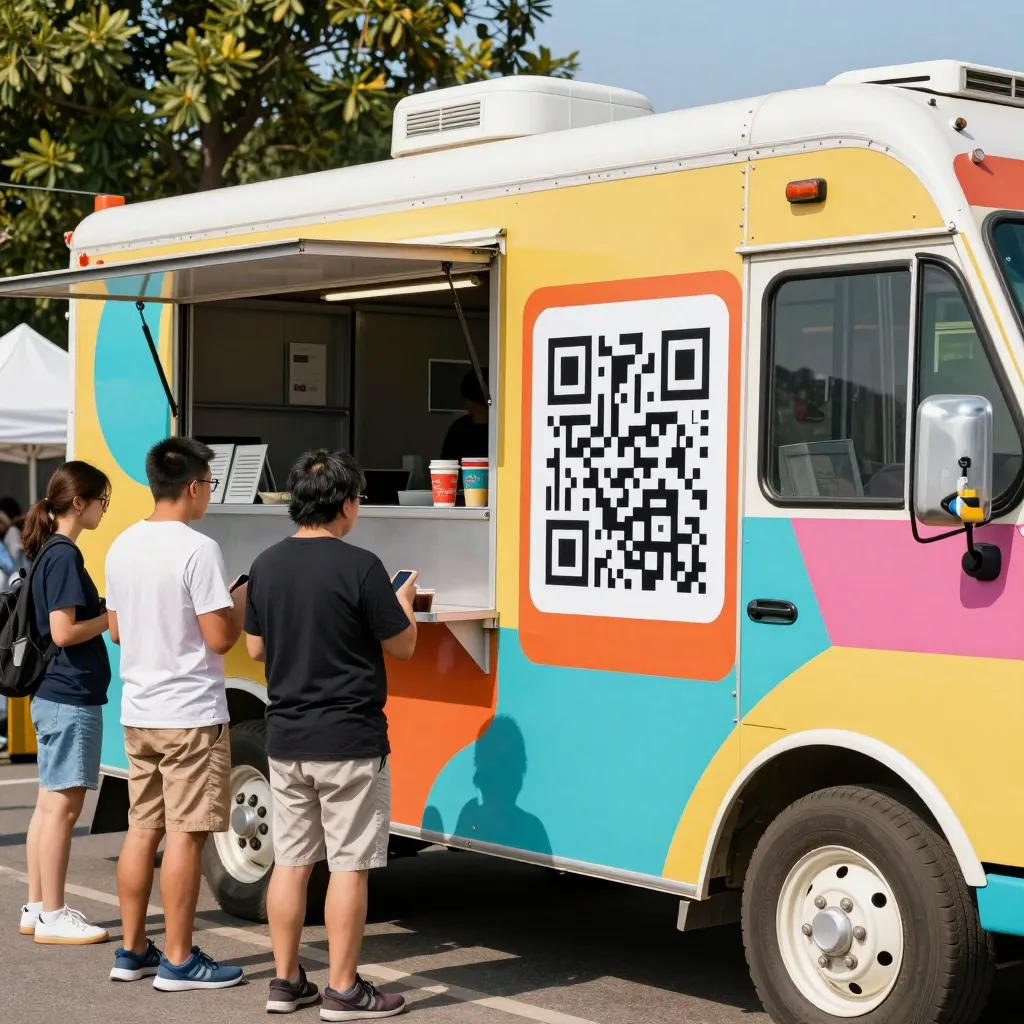
Food trucks operate in a unique environment where speed, efficiency, and customer experience are paramount. Unlike brick-and-mortar restaurants, you often lack a fixed physical menu board, and your inventory changes daily based on market availability. Relying solely on paper menus or static signage can lead to long wait times, order errors, and missed sales opportunities. According to recent industry data, 73% of diners prefer digital menus over paper ones, citing ease of use and environmental benefits as top factors.
Implementing a QR code ordering system bridges the gap between your mobile operation and modern customer expectations. It allows your team to focus on cooking and managing the line while customers browse an up-to-date menu on their own devices. This shift not only reduces the cognitive load on your staff but also minimizes the risk of miscommunication regarding special requests or dietary restrictions. Furthermore, a digital presence ensures that your menu is always accessible, even if your truck is parked in a less visible location or if the weather makes reading a paper menu difficult.
Step-by-Step Guide to Setting Up Your QR Menu
Setting up a QR code system is a straightforward process that can be completed in under 30 minutes. Here is a practical roadmap to get your food truck operational quickly:
1. Create Your Digital Menu
The foundation of your system is the menu itself. Use your platform to upload high-quality images of your dishes. Visuals are crucial for food trucks, as they help customers decide what to eat from a distance. Organize your menu logically, grouping items by category such as "Burgers," "Sides," "Drinks," and "Desserts." Include clear descriptions that highlight key ingredients and allergens. If you have daily specials, create a separate section or use a dynamic feature to update prices and availability without reprinting anything.
2. Generate Unique QR Codes
Once your menu is live, generate QR codes for each location or parking spot. For food trucks, it is often beneficial to have one primary QR code that works from any distance, but if you have a website or social media page, you can create location-specific codes. Ensure you select a code that redirects to your mobile-optimized menu page. Test the code by scanning it with multiple devices (iOS and Android) to ensure compatibility.
3. Print and Display Your Codes
Print your QR codes on durable vinyl or laminate them to withstand outdoor conditions. Place them on your truck's window, door, or a dedicated stand near the pickup window. Avoid placing them where they might get covered by food steam or condensation. You can also include the QR code on your social media bios, email signatures, and printed flyers.
4. Test the User Journey
Before launching, simulate the customer experience. Walk up to your truck, scan the code, and place an order. Check if the checkout process is seamless, if payment works offline or online depending on your setup, and if the loading time is acceptable on slower mobile networks. Address any friction points immediately.
Maximizing Sales with Upselling Features
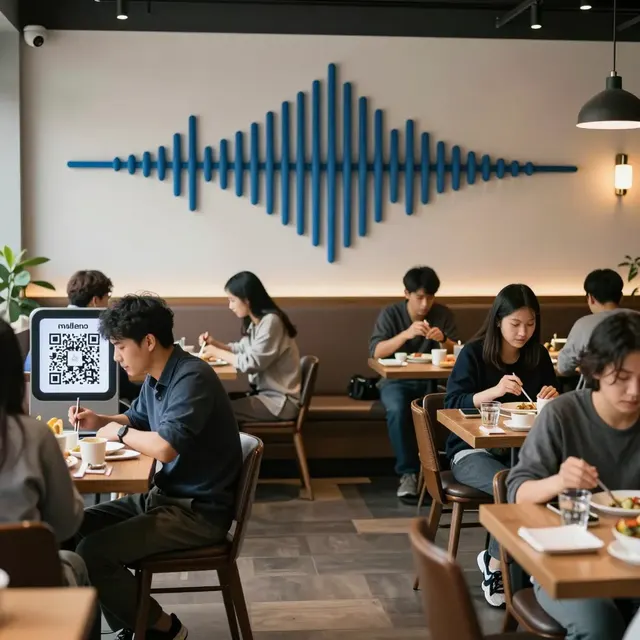
One of the most powerful advantages of a digital QR menu is the ability to drive higher average order values through strategic upselling. Static paper menus cannot adapt to sales strategies, but a dynamic digital menu can prompt customers with relevant suggestions. For example, when a customer selects a burger, the system can automatically suggest a specific sauce or a premium side like truffle fries.
Use the "Add-ons" feature to increase revenue without increasing labor costs. Instead of a server asking, "Do you want to add cheese for $1?" the digital interface can display a button that says, "Add Bacon for $1.50" with an appetizing photo. This taps into the psychological principle of default options and visual appeal, often resulting in a 10-15% increase in add-on sales. You can also bundle items, such as offering a "Truck Combo" that includes a main, a side, and a drink at a discounted rate, encouraging customers to spend more than they initially intended.
Another effective tactic is to feature limited-time offers directly on the menu screen. If you have a surplus of a particular ingredient, you can create a flash sale for that item, creating a sense of urgency. This flexibility allows you to manage inventory levels more effectively, reducing waste and maximizing profit margins. By analyzing which items are frequently added or skipped, you can refine your menu engineering strategy over time.
Operational Benefits for Your Kitchen Team
The operational impact of QR code ordering extends far beyond the customer experience; it fundamentally changes how your kitchen functions. In a high-volume food truck environment, every second counts. Traditional ordering methods often involve shouting orders or writing on tickets, which can lead to errors and bottlenecks. With a digital system, orders are transmitted instantly to the kitchen display system (KDS) or a tablet at the pass.
This automation reduces the number of verbal commands your staff needs to process, allowing them to focus on food preparation and quality control. It also provides a clear audit trail for every order, making it easier to identify issues if a customer complains about a missing item. You can track peak hours and popular items in real-time, helping you adjust staffing levels and prep quantities accordingly. For instance, if the data shows that the spicy wings sell out in 15 minutes during lunch, you can prep extra batches or adjust your prep list before the rush hits.
Furthermore, the system can handle complex modifications more efficiently. If a customer has a severe allergy, they can flag it directly on the app or menu interface, and the kitchen staff receives a visual alert. This proactive communication significantly enhances food safety and customer trust. It also streamlines the pickup process; customers can see the status of their order (e.g., "Preparing" or "Ready"), reducing the need for them to call out to the staff, which keeps the pickup line moving smoothly.
Best Practices for Food Truck QR Success
To ensure your QR code system runs smoothly, adhere to these industry best practices. First, always ensure your internet connection is robust. While some systems work offline, having a reliable connection ensures that inventory updates and payment processing happen in real-time. Consider using a dedicated hotspot for your menu system to avoid conflicts with your POS or other devices.
Second, maintain the freshness of your digital content. If an item is sold out, mark it as unavailable immediately. Nothing frustrates a customer more than seeing an item on the menu that isn't available at the counter. Regularly update your menu with seasonal items to keep the experience exciting. Third, encourage customers to save the menu to their home for later visits. Many platforms allow customers to bookmark the menu, turning your food truck into a repeat destination even when you aren't parked nearby.
Finally, gather feedback. Use the platform's analytics to see which items are most popular and which pages have high bounce rates. If customers are abandoning their carts at the payment screen, investigate the cause-it could be a confusing checkout process or a payment error. Addressing these issues continuously will improve your conversion rate and customer satisfaction scores. Remember that your goal is to make the ordering process so easy that customers forget they are using a technology and simply enjoy their meal.
Conclusion
Adopting a QR code ordering system is no longer optional for modern food trucks; it is a strategic necessity for survival and growth. By providing a seamless, visual, and efficient ordering experience, you can elevate your brand, increase sales, and reduce operational friction. The transition to digital menus offers unparalleled flexibility, allowing you to adapt to inventory changes and market trends in real-time.
At upQR, we understand the unique challenges of the food truck industry. Our platform is designed specifically for mobile operators, offering easy setup, robust mobile optimization, and powerful upselling tools that drive revenue. Whether you are just starting out or looking to upgrade your existing system, upQR provides the reliable infrastructure you need to succeed in a competitive market. Transform your food truck into a tech-savvy destination today and watch your business thrive.

Related Posts
Ready to create your digital menu?
Create your QR menu in minutes and reach your customers in any language.