Creating Kids-Friendly Digital Menus for Family Dining
Learn how to design engaging, easy-to-navigate digital menus for children that boost sales and simplify ordering for family restaurants.
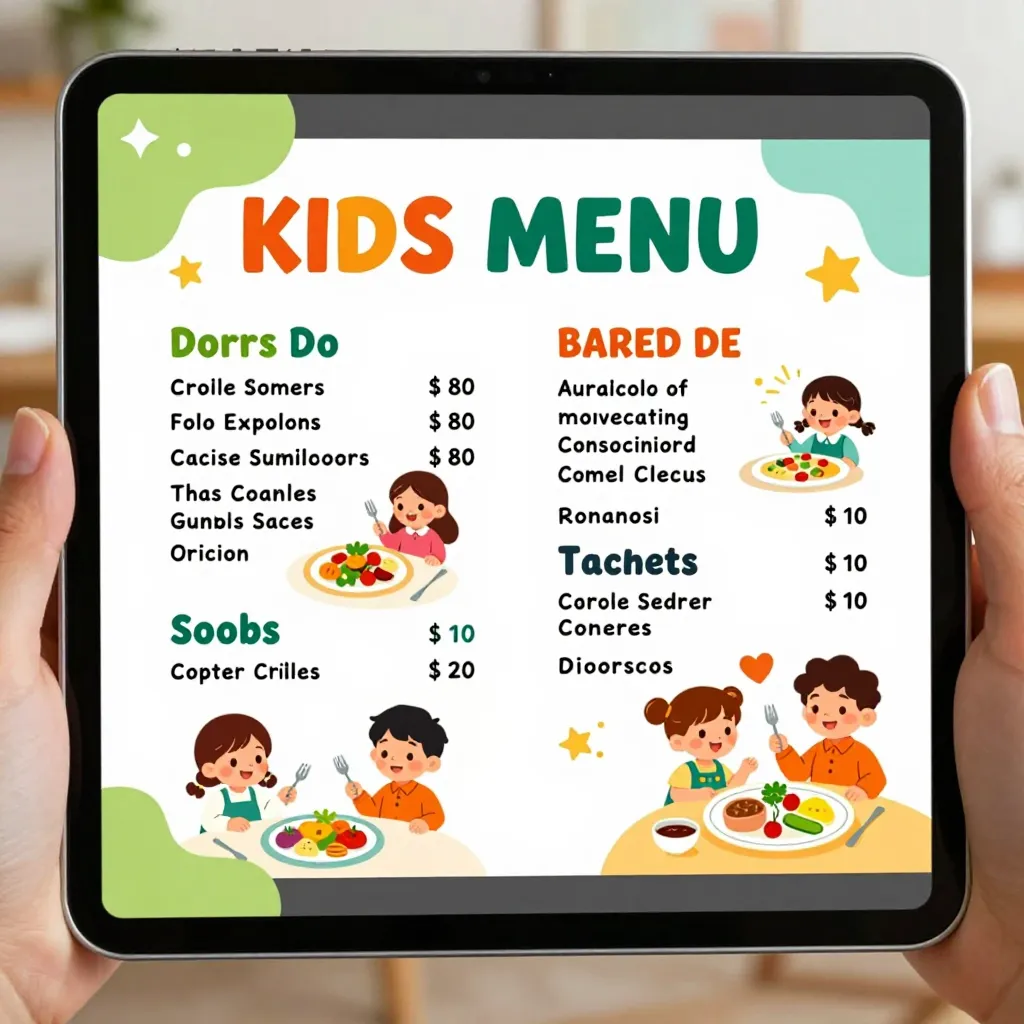
Why Digital Menus Are Essential for Family Dining
Family restaurants face a unique challenge: managing the diverse needs of parents, children, and grandparents all at once. Traditional paper menus often lead to cluttered tables, lost pages, and children wandering off to find food. According to recent industry reports, 68% of families prefer digital menus because they reduce noise and visual clutter. A well-designed digital menu not only streamlines the ordering process but also creates a more relaxed dining atmosphere. By transitioning to a digital format, you can control the presentation, update items instantly, and offer interactive features that delight young diners. This shift is not just about technology; it is about enhancing the overall guest experience and reducing operational friction for your staff.
Designing Visuals That Captivate Young Diners
Children respond strongly to visuals, and your digital menu should reflect that. When designing the interface, prioritize high-quality, colorful images of food. Research shows that 85% of children are more likely to order an item they can see clearly and appetizingly. Avoid small text or dense grids; instead, use large, clear icons and photos that are easy to tap. Consider adding animated elements, such as a playful mascot or a simple loading animation, to keep attention without causing distractions. For example, a burger with a smiling face or a pizza slice that wiggles when hovered over can make the experience fun. Ensure the layout is intuitive: place popular kids' meals at the top or in a dedicated section, and use bright, distinct buttons for actions like "Order Now" or "Add to Cart." Remember that screens are smaller than paper, so simplicity is key. A cluttered interface can lead to frustration and abandoned orders.
Structuring Content for Clarity and Engagement
How you organize your content matters just as much as the visuals. Start by creating a dedicated "Kids Menu" section that is easily accessible from the main menu. This section should be visually distinct, perhaps with a different color scheme or icon set to signal that it is for younger diners. Within this section, categorize items logicallysuch as "Build Your Own," "Finger Foods," or "Sweet Treats." Use simple language in descriptions; avoid jargon like "pan-seared" or "artisanal" which may confuse children. Instead, say "Crispy chicken with crunchy fries" or "Chocolate ice cream with sprinkles." Include nutritional information in a simplified format, such as "Low Sugar" or "High Protein," as many parents look for these details quickly. You can also add fun facts about ingredients, like "Did you know carrots help your eyes see better in the dark?" to make learning part of the meal. Keep descriptions short and engaging, focusing on taste and texture rather than complex cooking methods. This approach ensures that both children and parents can navigate the menu effortlessly.
Implementing Interactive Features to Boost Engagement
Interactivity transforms a static menu into an experience. Consider adding a customizable meal builder where children can choose their own toppings, sauces, or sides. For instance, a "Build Your Own Hot Dog" feature allows kids to select their favorite condiments, fostering a sense of ownership and excitement. Gamification elements can also be effective; include a digital scratch card or a simple quiz where kids earn a free dessert after answering three questions correctly. These features not only entertain but also encourage healthier choices by making them fun. Another powerful tool is the ability to send notifications directly to parents' phones when the order is ready, reducing wait times and keeping children engaged at the table. Some platforms even allow for augmented reality (AR) experiences, where pointing a tablet at a menu item reveals a 3D animation of the food. While advanced, even simple interactivity like a "spin the wheel" for a free drink can significantly increase engagement. Ensure all interactive elements are touch-friendly and responsive on various devices, as families often use tablets or smartphones of different sizes.
Optimizing for Accessibility and Ease of Use
Accessibility is often overlooked but is critical for a seamless experience. Ensure your digital menu is compatible with screen readers for visually impaired users and supports text-to-speech functionality for children with learning differences. Use high-contrast colors and large fonts to make text easy to read in various lighting conditions. Test your menu on multiple devices, including older smartphones and tablets, to guarantee compatibility. Parents will appreciate the ability to customize the experience, such as adjusting font size or enabling voice commands. Additionally, consider offering a "quiet mode" for families who prefer minimal animations or sound effects. By prioritizing accessibility, you demonstrate inclusivity and respect for all guests. Regularly update your platform to ensure security and performance, as outdated software can lead to crashes or data loss. A smooth, reliable experience builds trust and encourages repeat visits from families who value convenience and reliability.
Leveraging Data to Refine Your Kids Menu Strategy
Data-driven insights can help you continuously improve your kids' menu offerings. Most digital menu platforms provide analytics on which items are most popular, how long it takes to complete an order, and which features drive the most engagement. Use this data to identify trends, such as a surge in demand for plant-based options or a decline in interest for certain sides. Adjust your menu accordingly by phasing out low-performing items and introducing new favorites based on feedback. Conduct surveys after visits to gather direct input from parents and children. For example, if data shows that 40% of orders include a specific drink, consider making it a house special. Regularly refresh your content to keep the menu exciting; rotate seasonal items or limited-time offers to create urgency. By staying agile and responsive, you can maintain a competitive edge in the family dining sector. Remember that the goal is not just to sell food but to create a memorable experience that families want to return to. With the right tools and strategies, your digital menu can become a cornerstone of your restaurant's success.
Choosing the Right Platform for Your Needs
Selecting the right digital menu platform is crucial for long-term success. Look for solutions that offer customizable designs, robust analytics, and seamless integration with your existing POS system. Platforms like upQR provide all-in-one features, including online ordering, table management, and contactless payment options. Ensure the platform supports multi-language capabilities if you serve a diverse clientele, as this can significantly broaden your reach. Customer support is also vital; choose a provider that offers timely assistance and training resources. When evaluating platforms, consider scalability; your needs may grow as your restaurant expands. A flexible solution will allow you to add new features or locations without disruption. Ultimately, the best platform is one that aligns with your brand values and operational goals. By investing in a reliable digital menu system, you set the stage for sustainable growth and enhanced customer satisfaction.
Related Posts
Ready to create your digital menu?
Create your QR menu in minutes and reach your customers in any language.
