Building Accessible QR Menus for All Diners
Learn how to create inclusive digital menus that serve customers with visual, motor, and cognitive disabilities, ensuring everyone can dine comfortably.
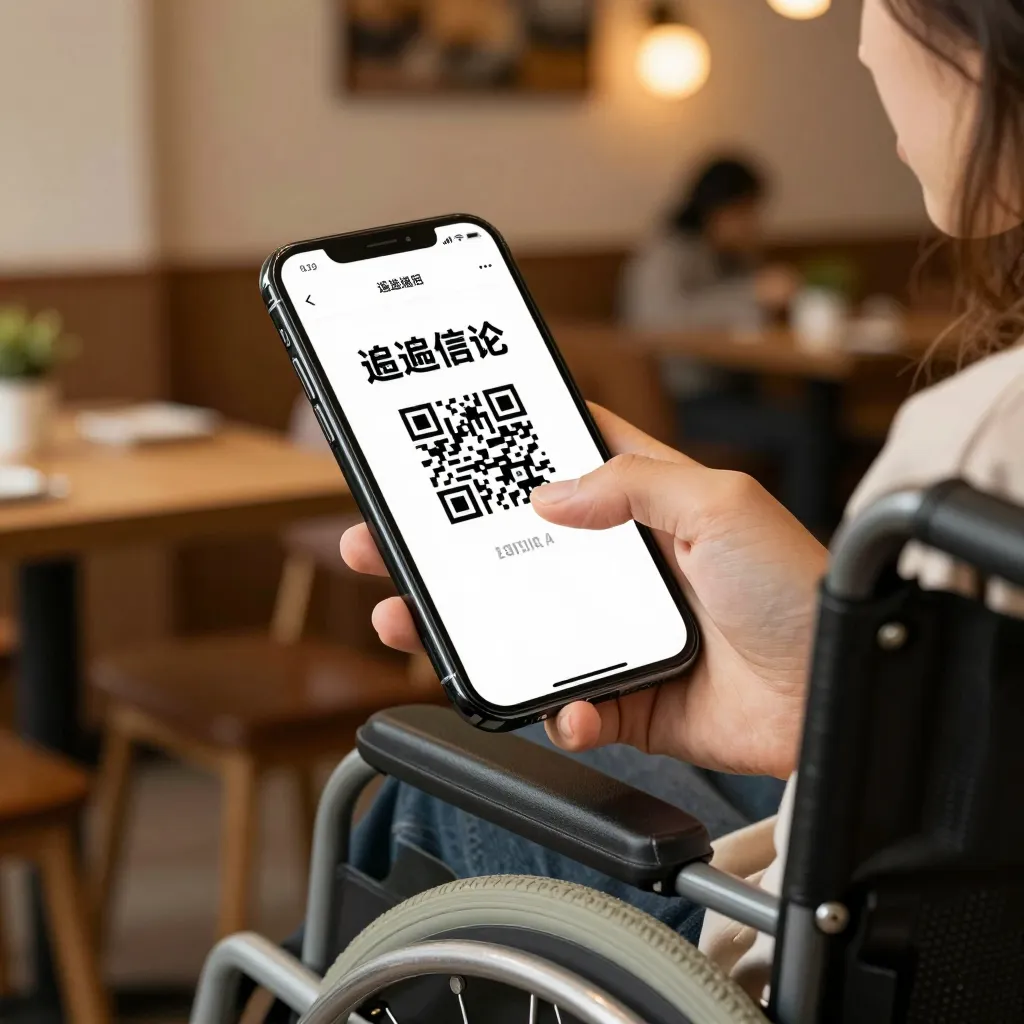
Why Accessibility Matters in the Digital Dining Experience
When a customer scans a QR code to access a menu, they expect a seamless experience. However, for individuals with disabilities, a poorly designed digital menu can be a significant barrier to entry. According to the U.S. Census Bureau, approximately 61 million Americans have a disability. For restaurants, ignoring accessibility is not just a missed marketing opportunity; it can be a legal and ethical risk. The Americans with Disabilities Act (ADA) and similar regulations in other regions increasingly apply to digital interfaces used by the public.
Consider the scenario of a visually impaired diner. If a QR menu relies solely on images without alt text, or if the text is too small to read on a mobile device, that customer cannot order their meal. Similarly, a motor-impaired customer might struggle with a complex navigation structure that requires excessive tapping. By prioritizing accessibility, restaurants demonstrate a commitment to inclusivity, which fosters loyalty and broadens their customer base. It is a practical business decision that aligns with modern social values.
Designing for Visual Impairments: Alt Text and Contrast
The most common accessibility issue with QR menus involves visual impairments, ranging from low vision to total blindness. The foundation of an accessible digital menu lies in proper text formatting and image descriptions. When a customer uses a screen readersoftware that converts text into speechthe system reads the alt text of images aloud. If an image of a steak is uploaded without an alt attribute, the screen reader will say "image" to the user, providing no useful information.
Restaurants must ensure that all images of food items, ingredients, or allergens include descriptive alt text. For example, instead of simply uploading a photo of a burger, the alt text should read: "Grilled beef burger with lettuce, tomato, and cheddar cheese, served on a sesame seed bun." This detail helps users understand exactly what they are ordering without seeing the image.
Contrast is another critical factor. Many visually impaired users rely on high-contrast displays or have difficulty distinguishing text from a background. A menu with light gray text on a white background may be readable for someone with perfect vision but will be unusable for someone with color blindness or reduced contrast sensitivity. Use dark text on a light background, and avoid using color alone to convey important information, such as marking an item as "available" with a green dot while hiding unavailable items with a red dot. Ensure that text meets WCAG (Web Content Accessibility Guidelines) standards for contrast ratios.
Motor Accessibility: Simplifying Navigation and Input
Customers with motor disabilities, such as those with tremors, limited dexterity, or paralysis, face unique challenges when interacting with touchscreens. Complex menus with tiny buttons, deep drop-down menus, or excessive scrolling can be frustrating and exhausting. To make a QR menu accessible to these users, the interface must be simple and efficient.
One effective strategy is to limit the number of clicks required to place an order. If a menu requires a customer to navigate through five different pages to find an item, a user with limited motor control may give up before completing their order. Streamline the menu structure by categorizing items clearly and using a single-page design where possible. This reduces the need for scrolling and tapping, making the experience smoother.
Furthermore, avoid requiring precise gestures like pinch-to-zoom or complex swipes. Ensure that all interactive elements, such as "Add to Order" buttons, are large enough to be tapped easily. A button size of at least 44x44 pixels is recommended by accessibility standards. Additionally, ensure that the menu does not require users to hold their phone in a specific orientation for too long. Some users may have difficulty holding a device steady; a menu that auto-scrolls or has a fixed viewport can help. By designing with motor accessibility in mind, restaurants ensure that every customer can place their order with dignity and ease.
Cognitive Accessibility: Clear Language and Structure
Cognitive disabilities, including dyslexia, ADHD, or intellectual disabilities, can make navigating a cluttered or confusing menu difficult. A QR menu should be easy to understand, with clear headings and logical flow. Avoid using jargon, overly complex sentences, or dense blocks of text that can overwhelm a reader.
Structure is key. Use clear headings (H1, H2, H3) to organize the menu into sections like "Starters," "Mains," and "Desserts." Screen readers use these headings to navigate the page quickly. Similarly, visually impaired users appreciate a logical reading order. Do not place important information, such as allergen warnings or price changes, at the bottom of a long list of items. Place them near the relevant product descriptions.
Language clarity is equally important. Instead of using vague terms like "house special" or "chef's choice" without explanation, describe the dish simply. For example, "Grilled chicken breast with roasted vegetables" is clearer than "Gourmet grilled delight." This helps users with cognitive disabilities understand exactly what they are ordering. Additionally, provide clear instructions on how to place an order. Some users may not understand the difference between "Add" and "Remove" buttons. Use consistent labels and icons to guide them through the process.
Technical Implementation: Ensuring Compatibility and Reliability
Accessibility is not just about design; it is also about technical implementation. A menu that looks good but fails to load on older devices or does not work with assistive technologies is not truly accessible. Restaurants must ensure their QR menu platform is compatible with a wide range of devices, including older smartphones that may be the primary device for some users with disabilities.
One common issue is the use of proprietary fonts or scripts that are not supported by screen readers. Stick to standard web fonts like Arial, Helvetica, or Roboto to ensure compatibility. Also, avoid using JavaScript-heavy features that can disrupt the flow of screen readers. For instance, auto-playing videos or animations can be distracting or confusing for users with cognitive disabilities. Ensure that any multimedia content has captions and transcripts available.
Reliability is another technical aspect. If a QR menu goes offline or fails to load, a customer with a disability may have no way to order. Provide a fallback option, such as a phone number or a printable menu, in case the digital menu is unavailable. This ensures that accessibility is maintained even during technical glitches. Regularly test the menu with various assistive technologies, such as VoiceOver on iOS, TalkBack on Android, and NVDA on Windows, to identify and fix any issues.
Conclusion: Inclusion as a Competitive Advantage
Creating an accessible QR menu is a powerful way for restaurants to show they care about every customer. By focusing on alt text, contrast, simple navigation, clear language, and technical reliability, businesses can remove barriers that prevent people with disabilities from enjoying a meal out. These efforts not only comply with legal standards but also enhance the overall user experience for all diners, including those using mobile devices with smaller screens or slower internet connections.
At upQR, we understand that accessibility is a core component of digital excellence. Our platform is designed with these principles in mind, offering tools that help restaurant owners create menus that are easy to read, navigate, and order on. Whether you are a small cafe or a large chain, upQR provides the resources needed to build an inclusive dining experience. By choosing an accessible solution, you are not just following rules; you are welcoming a diverse community into your space, one meal at a time. Embrace accessibility today, and watch your customer base grow while making a positive impact on society.
Related Posts
Ready to create your digital menu?
Create your QR menu in minutes and reach your customers in any language.
